Log every set, your way
Weight, reps, and unit — lb or kg, per set. Enter a rep range like "8-10" as a target and it collapses to the number you actually hit the moment you check it off. Organize sections and exercises exactly the way you train.
Automatic PR badges
The moment you check off a set that beats your best, a badge appears — no manual comparison required. It's smart enough to compare lb and kg correctly, no matter which unit you logged in.
Workout streaks
A running streak counter keeps you honest, counting consecutive days with a completed workout. A grace period means an unlogged "today" doesn't wipe out yesterday's streak before the day is even over.
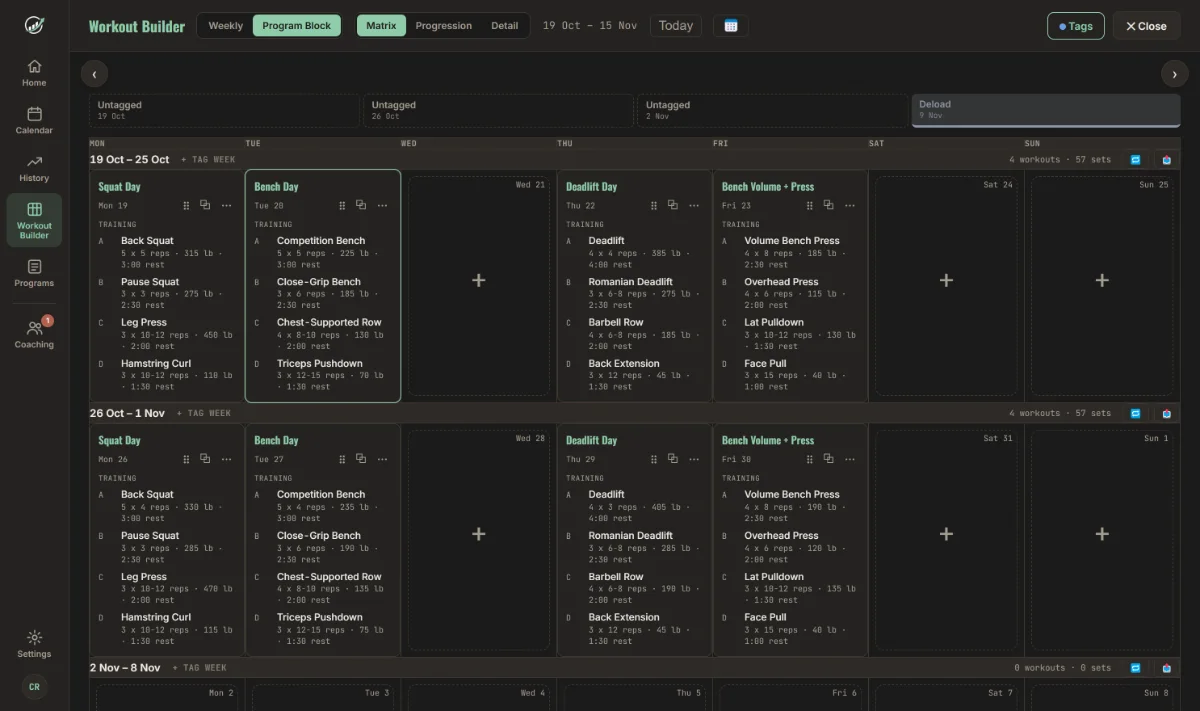
Desktop workout builder
Plan a full block on a bigger screen. The Matrix lays weeks down and days across, with weekly set totals and Deload, Peak and Test Week tags. Drag a session to another day or copy it to next week in one click.
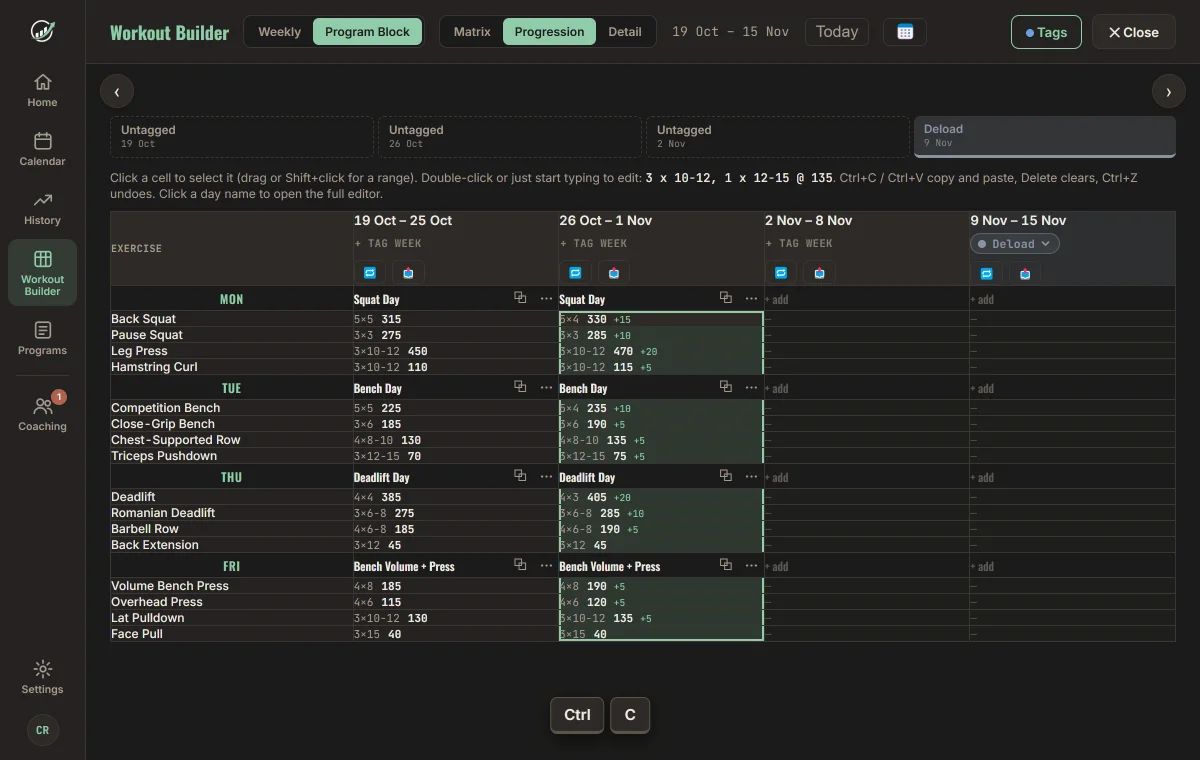
Spreadsheet-style editing
Switch to the Progression view to read each lift week over week, with the change in load between weeks. Select cells, copy them with Ctrl+C, paste them into the next week with Ctrl+V, type new numbers straight in, and undo with Ctrl+Z.
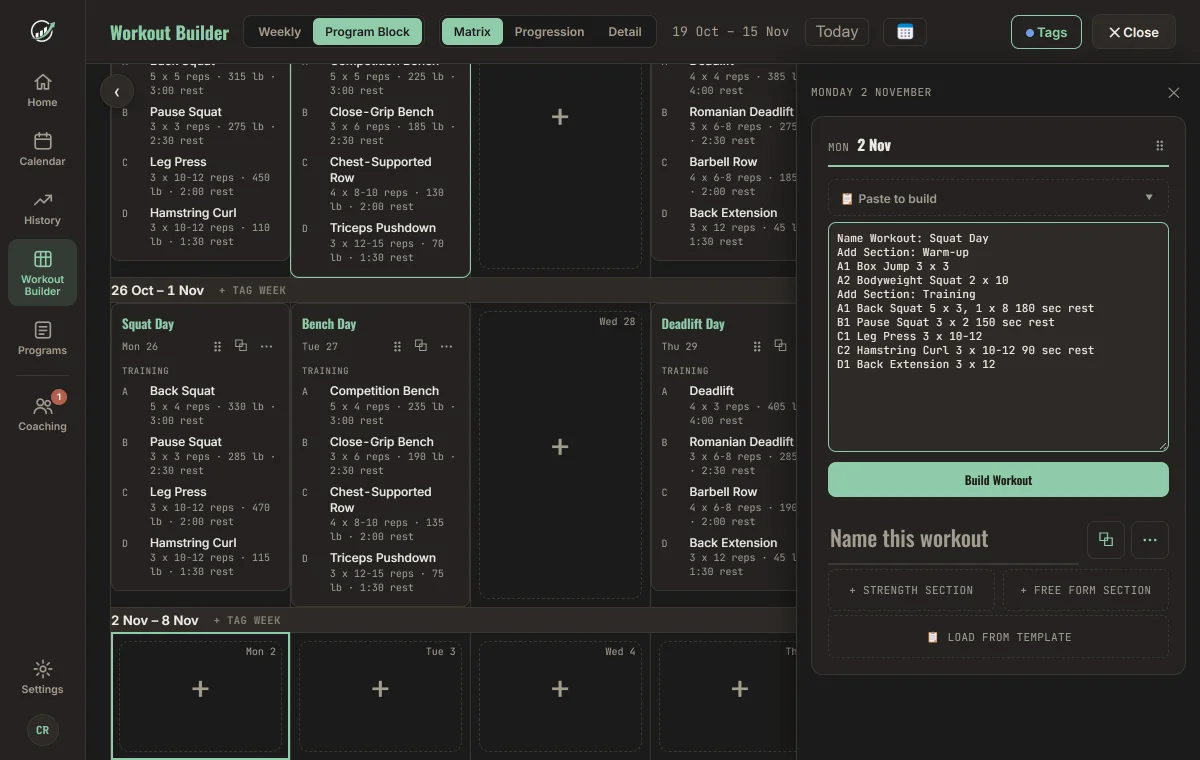
Paste a day from your spreadsheet
Paste a day from Excel or Google Sheets and Progress builds the sections, supersets, sets, reps and rest times for you. Mixed schemes like 5 x 3, 1 x 8 are read too, so top sets and back-off sets come through.
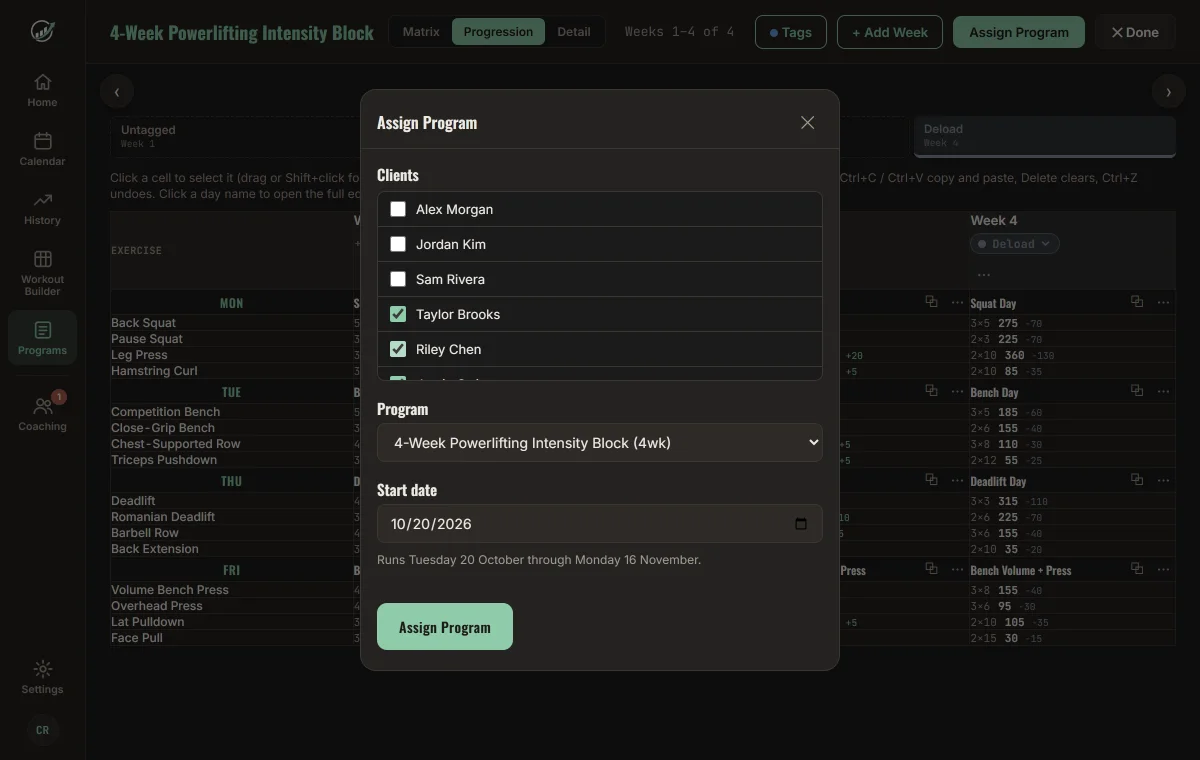
Programs for every lifter
Save a block to your program library and assign it to one lifter or many, with a start date. Follow adherence and spot who is slipping from the coaching dashboard. Coach access starts at $20 per month.
Shareable recap cards
Turn any workout into a clean, screenshot-ready summary in one tap — complete with PRs, total volume, and milestone callouts like your 50th or 100th logged workout. Built for Instagram, not spreadsheets.
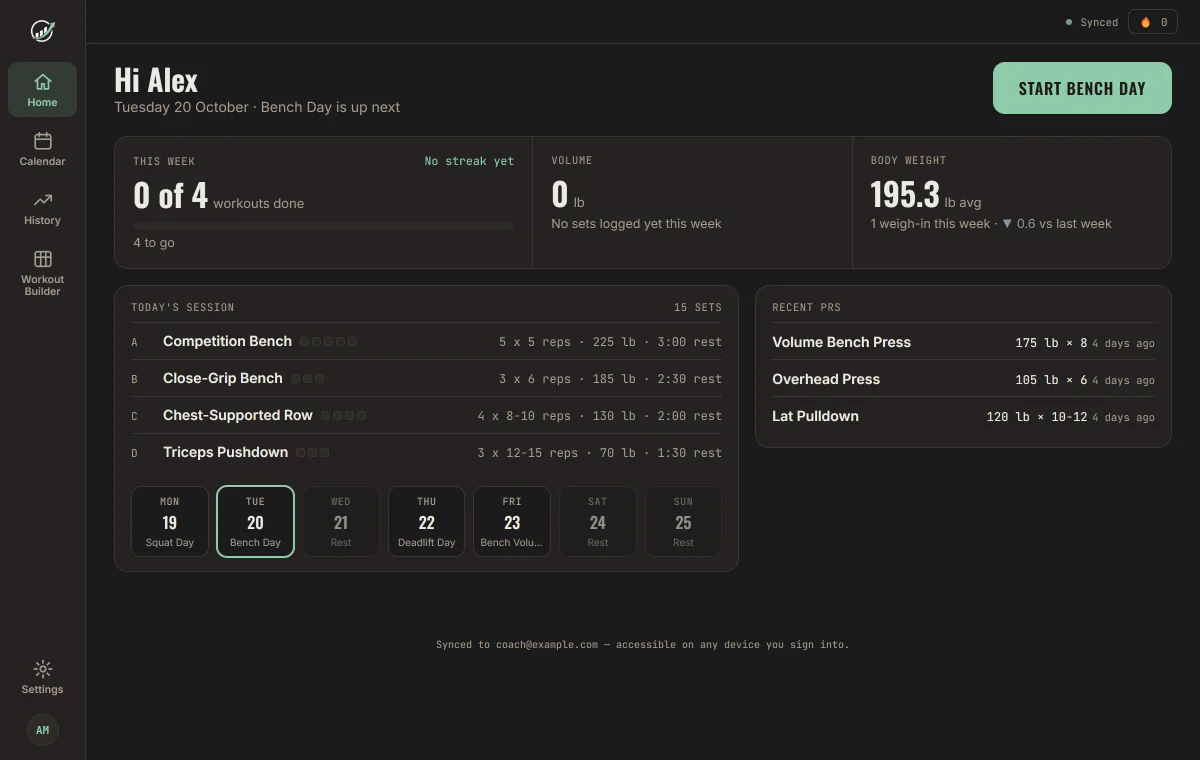
A Home page for the day
Open Progress and see what matters: today's session with one Start button, your week at a glance, volume, bodyweight and recent PRs. On a phone it's a single scroll, and on desktop it fills the screen.